
The Ultimate Wonderland Roblox Walkthrough: Survival Tips, Level Guides, and Secret Strategies
Master ScaryPlay's horror-roguelite with our complete Wonderland Roblox walkthrough. Learn level strategies, boss chase tips, and item locations.
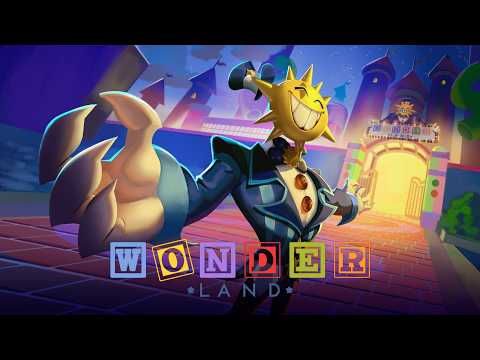 Official mediaMaster ScaryPlay's horror-roguelite with our complete Wonderland Roblox walkthrough. Learn level strategies, boss chase tips, and item locations.YouTube
 Are you struggling to survive the creepy, distorted corridors of ScaryPlay's hit horror experience? This complete wonderland roblox walkthrough will guide you through every terrifying level, from the basics of collecting Lumins to escaping intense boss chases. Whether you are playing solo or with a team, mastering this wonderland roblox walkthrough is your ticket to escaping the dream playground before the timer runs out.
Wonderland drops up to five players into a colorful but decaying playground filled with hostile toys, strict timers, and randomized room layouts. Because the map changes slightly with every run, memorizing a single path won't save you. Instead, you must master the core gameplay loop, optimize your movement mechanics, and know exactly how to manage your resources.
Getting Started: Lobby Prep and Active Codes
Before you take your first steps into the distorted dreamscape, a little preparation in the lobby can give you a massive advantage. Utilizing active promo codes and setting up your team roles will prevent early-game confusion.
To kickstart your progression, make sure to redeem the active lobby codes. These rewards give you a head start on purchasing cosmetic upgrades and preparing your character.
| Code | Reward | Expiration Status |
|---|---|---|
RELEASE26 | 100 Gems | Active (Checked August 2026) |
Choosing Your Team Roles
If you are playing with a group, coordinate your roles before entering the elevator. A disorganized team is the number one cause of quick deaths. Player experiences suggest splitting your team into three distinct roles to maximize efficiency.
| Role | Primary Objective | Key Strategy |
|---|---|---|
| Collector | Searches side rooms for Lumins and items. | Avoids deep corridors; stays close to the main paths. |
| Guide | Stays near Zippy and monitors the map. | Calls out escape routes and exit locations to the team. |
| Scout | Explores dangerous corridors ahead of the group. | Lures hostile entities away from Collectors. |
Before clicking play, adjust your settings. Keep your graphics level high enough to make dark corridors readable, but ensure your frame rate remains stable. If you are playing on PC, ensure you have plenty of physical mouse space to execute quick 180-degree turns during chase sequences.
The Core Gameplay Loop: Lumins, Zippy, and Wormy
To successfully complete any level, this section of our wonderland roblox walkthrough focuses on the three pillars of survival: Lumins, Zippy, and Wormy.
Lumins are small, glowing creatures scattered throughout the randomized rooms. In most early levels, your primary objective is to find and collect four of these creatures.
Once you have gathered the required amount, locate Zippy—the friendly green, backpack-like NPC. Interact with Zippy to show him the Lumins. He will immediately sprint toward the escape zone, marking the exit location on your team's map.
Understanding Zippy and Wormy
A common beginner mistake is assuming Zippy consumes your Lumins. According to player reports, Zippy only needs to see them. You actually keep the Lumins in your inventory to feed the exit creature, Wormy.
| Entity | Function | Interaction Reward |
|---|---|---|
| Zippy | Green backpack NPC; guides you to the exit. | Marks the escape route on the player map. |
| Wormy | Large exit creature at the end of the level. | Opens the escape route and awards Tickets. |
When you reach the exit, you must interact with Wormy. Spam the big red button to feed him your Lumins. In exchange, Wormy will reward you with Tickets, which you can spend at Wonder's Shop, and open the path to the escape cart.
Entrance Tutorial & Movement Mechanics
The Entrance level acts as a safe training ground to master the game's physics. As highlighted in this wonderland roblox walkthrough, movement is your ultimate weapon against hostile entities. Do not rush through this tutorial; the skills you practice here are mandatory for surviving Level 2 and beyond.
Master the Movement Toolkit
Wonderland features a robust movement system. You must learn to chain crouching, sliding, and wall jumps to navigate tight spaces and outrun bosses.
| Movement Type | Control Input (PC) | Tactical Use Case |
|---|---|---|
| Crouch | Press C or Ctrl | Entering low passages and hiding from tall entities. |
| Slide | Jump + Crouch while moving | Quickly passing under low obstacles during a chase. |
| Wall Jump | Shift + Space near a wall | Scaling high ledges and escaping dead ends. |
- Slide Tip: Always line up your character straight before initiating a slide. Turning sharply mid-slide will kill your momentum and leave you vulnerable.
- Wall Jump Tip: Keep your camera focused on your landing point rather than looking back at whatever is chasing you.
Once you complete the movement course, feed your Lumins to Wormy, hop into the cart, and transition into the real game.
Step-by-Step Walkthrough: Levels 1 to 3
Because the game utilizes roguelite elements, room layouts will differ on every attempt. Use these steps as a conceptual guide rather than a rigid path.
Level 1: Executing the Standard Loop
A crucial step in any wonderland roblox walkthrough is learning when to stop looting. Level 1 introduces the real threat of the countdown timer.
- Search Phase: Fan out and quickly grab four Lumins. Avoid exploring deep, dark corridors unless necessary.
- Locate Zippy: Return to Zippy, present the Lumins, and watch which direction he runs.
- Escape Phase: Stop searching for extra loot. Follow Zippy's marker on the map, run to the exit, feed Wormy, and board the cart.
Level 2: The Scanner and the Boss Chase
Level 2 is where many players hit a wall. This level introduces a mandatory boss chase sequence that tests your movement consistency.
- The Setup: Complete the standard Lumin and Zippy phase as fast as possible. You want to arrive at the cart area with plenty of time remaining on your clock.
- The Trigger: Activate the lever and the scanner. This triggers a creepy cutscene where the boss mocks you ("You're going to miss your deadline!").
- The Chase: Once the cutscene ends, run immediately. Do not look back. The boss will swing a giant bat at you, destroying the environment.
- The Swing Mechanics: Community reports show that the boss's attacks are highly telegraphed. If you hear him swing, keep moving forward—as the dialogue jokes, "The floor had it coming!"
- The Escape: Complete the parkour jumps, slide under the falling debris, and dive into the cart to end the chase.
Level 3: Managing the Time Reserve
Level 3 returns to the standard loop but increases the spawn rate of hostile toys and features a much more complex labyrinth.
Always split your run into two strict phases. During the search phase, focus entirely on navigation and gathering. The moment Zippy reveals the exit, immediately transition to the escape phase. Trying to loot "just one more room" when the exit is open is the fastest way to run out of time.
Gear Guide: Starting Items & Wonder's Shop
To survive the later, darker stages of the game, you must utilize your inventory slots effectively. Following our wonderland roblox walkthrough strategies will help you decide what to keep and what to buy.
Starting Items
You begin your run with four basic tools. Knowing when to swap to each item can save your life in a pinch.
| Item | Slot Function | Pro Tip |
|---|---|---|
| WonderLites | Flashlight / Illumination | Keep it off when hiding; sound cues are more reliable than sight. |
| HealthBox | Healing Supplies | Save your heals for after a chase, or use them on your team's Guide. |
| Backpack | Inventory Management | Keep your quest items organized so you don't fumble under pressure. |
| WonderDoodle | Navigation Map | Only open this in safe corners; you are completely vulnerable while viewing it. |
Shopping at Wonder's Shop
As you complete levels and feed Wormy, you will accumulate Tickets. When Wonder's Shop appears between levels, do not spend your Tickets on random items.
Our wonderland roblox walkthrough recommends prioritizing utility over everything else. The Wonderland Mask is an incredibly powerful purchase because it allows you to highlight Lumins and hostile entities through solid walls. If you are healthy and already have solid gear, save your Tickets for later, more expensive shop spawns.
To stay updated on the game's development or connect with other players for team runs, check out the official Roblox Platform to find ScaryPlay's community groups and active social links.
Frequently Asked Questions
What do Lumins do in Roblox Wonderland?
Lumins are the primary progression items in the game. You must collect them and show them to Zippy to reveal the exit. Afterward, you must feed those same Lumins to Wormy to open the escape cart and earn Tickets.
Can you play Wonderland solo?
Yes, you can play solo. While having a coordinated team makes searching rooms faster, playing solo allows you to move at your own pace without worrying about teammates triggering boss chases prematurely.
How do I use this wonderland roblox walkthrough for solo play?
For solo play, prioritize stealth and speed. Since you do not have teammates to distract enemies, use your WonderLites sparingly, keep your volume high to listen for footsteps, and follow the Level 1-3 walkthrough steps to transition quickly from searching to escaping.
What are Gems used for in the lobby?
Gems are a persistent lobby currency. Unlike Tickets, which reset after every run, Gems are kept permanently. You can use them in the lobby shop to purchase cosmetic rewards, such as flash skins from the Wonder Egg.
Is the Story Mode available to play?
Currently, Story Mode remains locked and under active development. Players can fully enjoy the Levels Mode, which features the complete survival-horror and roguelite loop described in this guide.
Related Guides
Essential Wonderland Roblox Tips: Master the Co-op Horror Escape Experience
Improve your survival skills with these essential Wonderland Roblox tips. Learn how to manage stamina, collect Lumins, and dominate the arena.
Wonderland Roblox All Achievements: The Ultimate Completionist Guide
Master every challenge in Wonderland Roblox! Our guide covers all 27 achievements, from progression milestones to hidden legendary collections.
Wonderland Roblox How to Beat: Master the Bosses and Chase Sequences
Struggling to clear Wonderland? Check out our ultimate guide on Wonderland Roblox how to beat every boss and master those intense chase sequences.
Wonderland Roblox How to Recharge Minigun: The Ultimate Survival Guide
Learn Wonderland Roblox how to recharge minigun, manage ticket costs, and optimize your fire time against the Owl and Gnome in this horror survival guide.